Design together. Furnish in one go.
Plan your house in 3D, alone or with friends in real time, with the game's furnishings and its lighting. When it's ready, the addon places it in The Elder Scrolls Online for you, and shows anywhere in the game what you still need.
- Free
- No account
- Windows 10 and 11
A free fan project, made by players. Not made or endorsed by ZeniMax.
Features
Your own houses
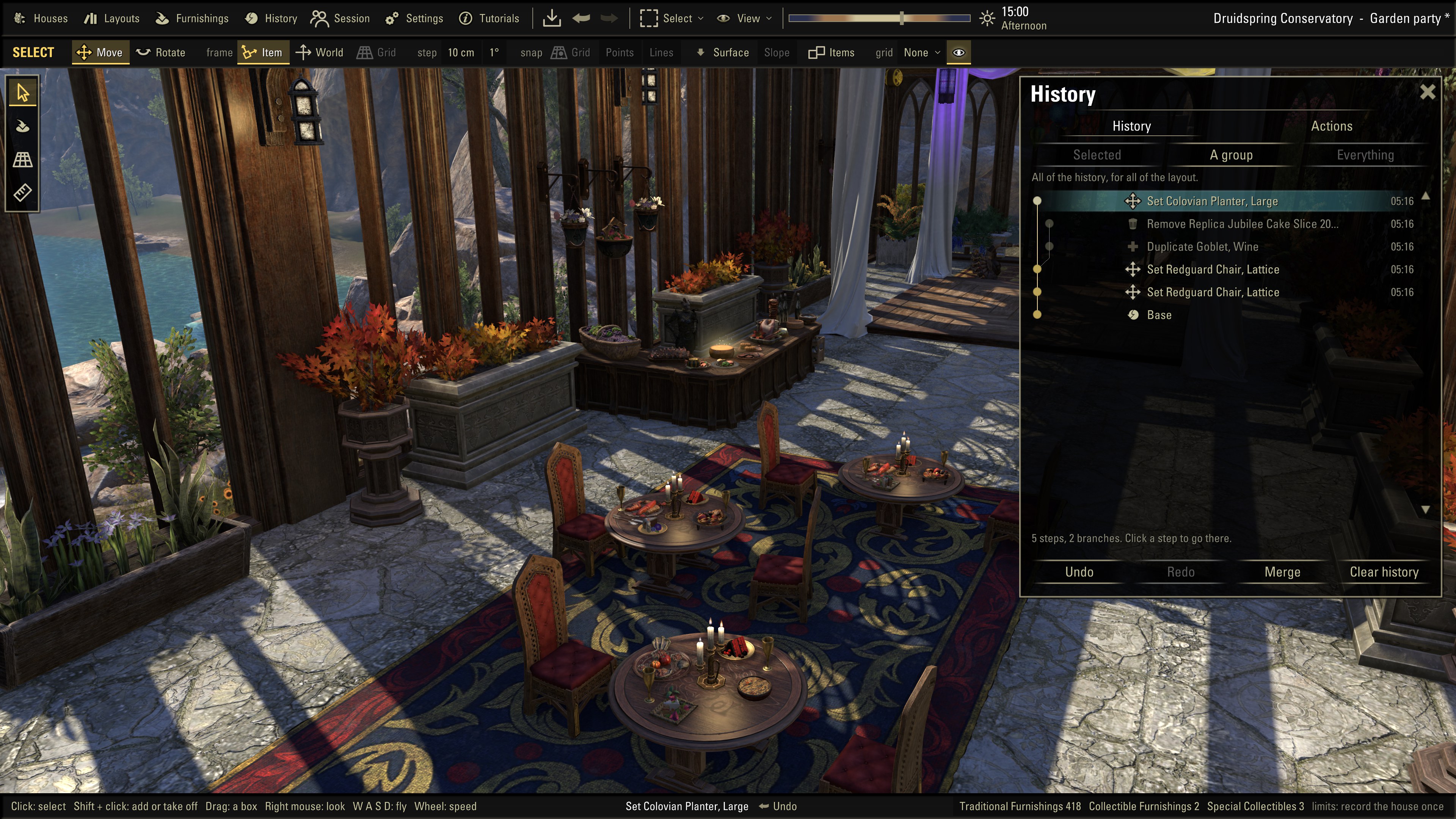
Your houses in 3D, built from your own game.
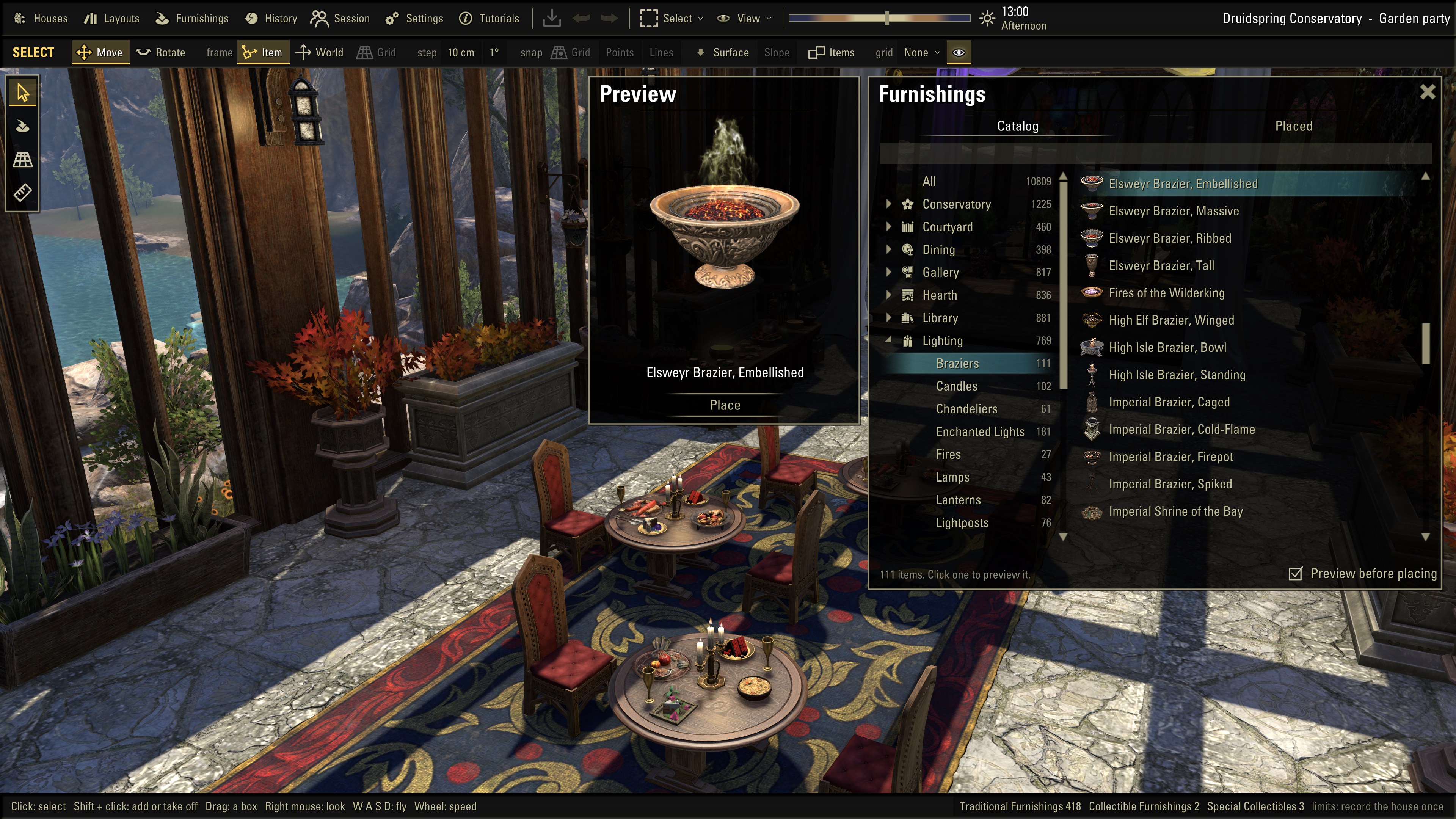
Every furnishing
Browse the whole catalog and turn each piece in 3D.
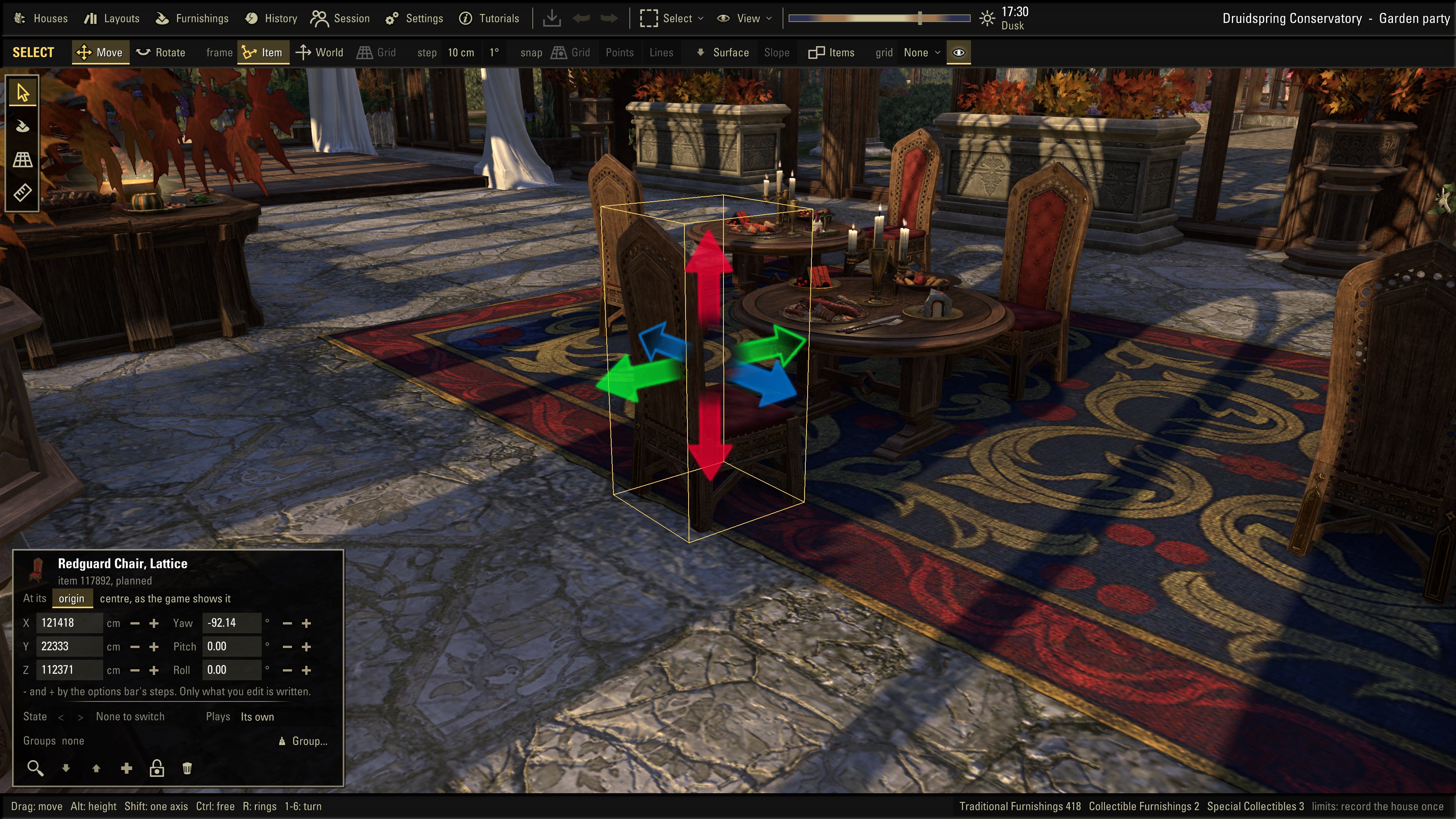
Precise placement
Drag, snap or type exact values. Align, stack and group.
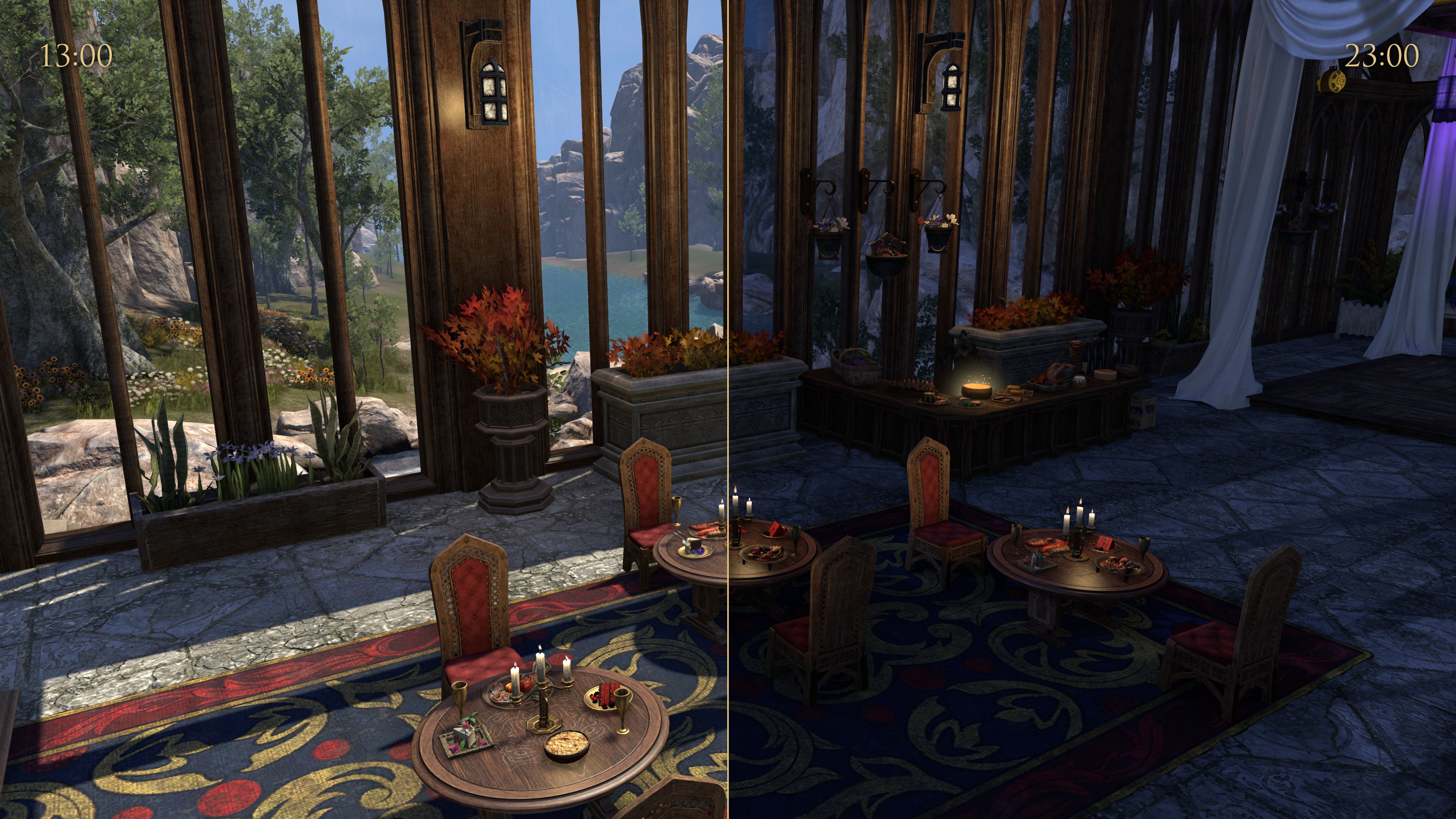
Day and night
See your house at any hour, under any sky.
Undo anything
Every step is kept, even after a crash.
Placed for you
The addon backs up, then places your layout with what you own.
What you need
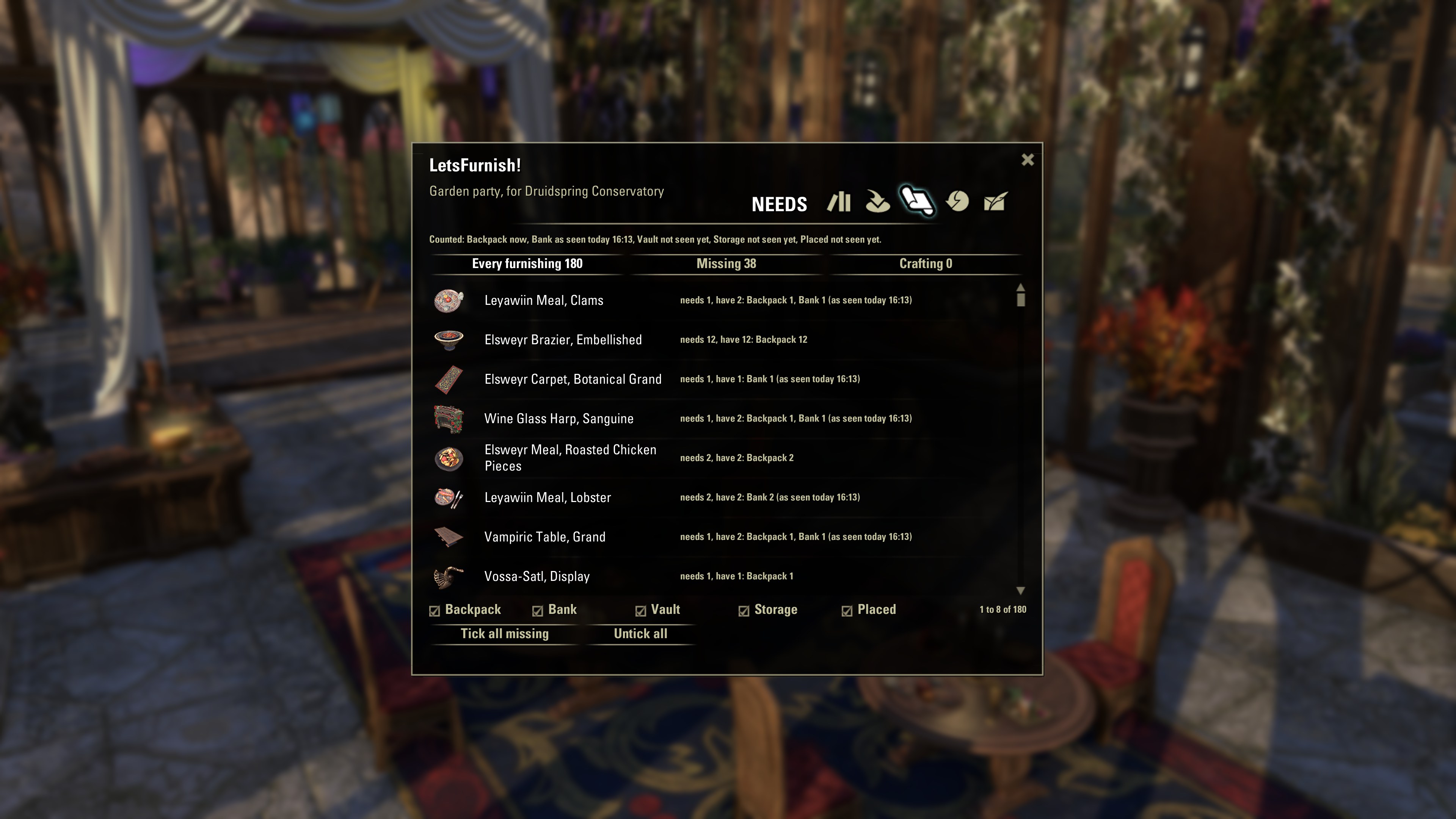
Anywhere in the game: what you have, what's missing, what to craft.
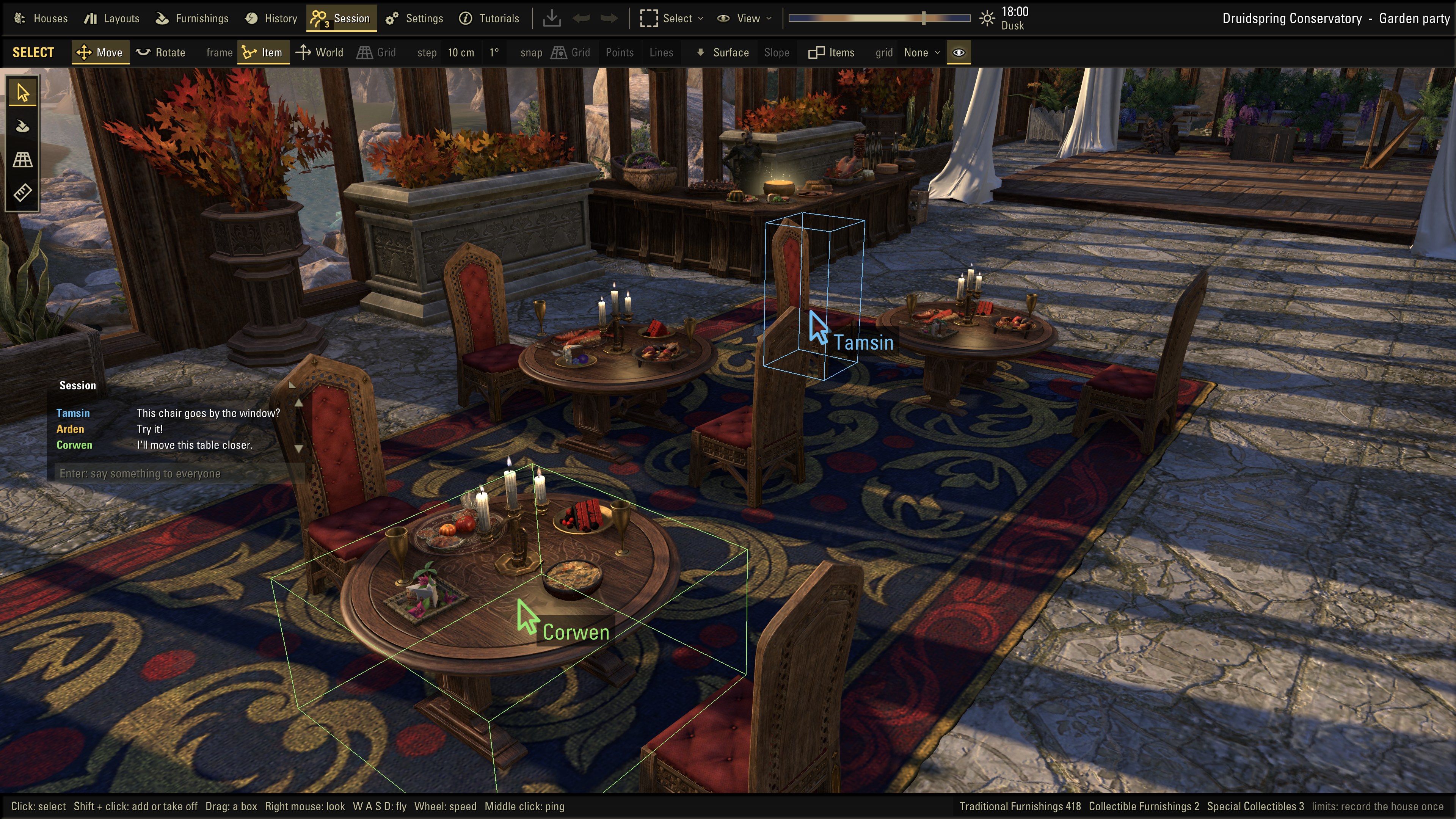
Plan with friends
Send a link and decorate together live, up to 250 people a session.
Share a code
Send a layout as one line of text.
Quick tutorials
Short lessons show you the tools.
Within the limits
See your layout against the house's furnishing limits.
Free and private
No account, no ads. Your layouts stay on your PC until you share them.
Screenshots
How it works
Install the app
Run the installer. You don't need administrator rights, and the app keeps itself up to date.
Let it read your game
The first time you start it, the app finds The Elder Scrolls Online on your PC and reads your houses and furnishings. It takes a few minutes, and it does this again after each game update.
Design a layout
Open a house and start placing, moving and turning furnishings. Try a different time of day, and save as many layouts as you like. Short tutorials (F1) show you the tools.
Add the addon
Get the addon on ESOUI, by hand or with Minion, or let the app install it: it offers to, and Settings > Game data has it too. Want to start from what's already in your house? Type /lf in the game, click Record this house, type /reloadui, then click Import from game in the app.
Place it in the game
Click Send to game. Then, in your house, type /reloadui and /lf. The addon shows you what will change, makes a backup and places your layout.
Download
It's free, for Windows 10 and 11. Before your first download, we'll ask you to accept a few short terms.
The app
Windows 10 or 11, 64-bit. About 55 MB. No administrator rights needed.
The addon
The addon is on ESOUI too, where Minion finds it. To install this zip by hand, unzip it into Documents\Elder Scrolls Online\live\AddOns. Or let the app install the addon for you.
FAQ
Windows warns me about the installer. What do I do?
LetsFurnish! isn't code-signed yet, so Windows SmartScreen doesn't recognise it and shows a warning, as it does for any new program. If you downloaded it from this site, click More info, then Run anyway.
If Smart App Control is turned on in Windows 11, it may block the installer completely. In that case, please wait for a signed version.
Does it work with the PTS?
Yes. The app finds both your live and PTS installs and keeps them separate. Install the addon in whichever one you play. After a game update, the app re-reads the game by itself, and anything it can't read yet shows up as missing until it can.
What does the addon do, and do I need it?
The addon is the link between the app and the game, and it works on its own too: get it on ESOUI or here. Type /lf in the game to open it. It records your house for the app and places the layouts you send from the app, keeping a backup so you can always go back. It shares and pastes layout codes, and anywhere in the game it shows what a layout needs: what you have and where, what's missing and what can be crafted. It works through the game's own add-on interface and only does something when you ask it to.
You don't need it to explore and design in the app. You'll want it to bring your house into the app and to place a layout in the game.
Can I plan a house with friends?
Yes. Open a layout, start a session and send your friends its link. They join from their own LetsFurnish!, each with the game installed. A session takes up to 250 people at once. You choose who the link lets in: you let each one in, or it brings them straight in as decorators, who change the layout with you, or as viewers, who watch and chat. You see each other's pointers and selections, and you can make a friend a co-host or make a new link. The layout, your names and what you say are encrypted end to end.
Does it change my game?
No. The app only reads the game's files. It writes to its own folders, and to the addon's folders in AddOns when you click Install addon, Send to game or Import from game.
Is there a Mac, Linux or console version?
Not for now, it's Windows only. The app needs the PC version of the game installed on the same computer.
Is it made by ZeniMax?
No. LetsFurnish! is an unofficial fan project. It isn't created by, affiliated with or sponsored by ZeniMax Media Inc. or its affiliates, so please don't contact ZeniMax support about it. Ask us on Discord instead.